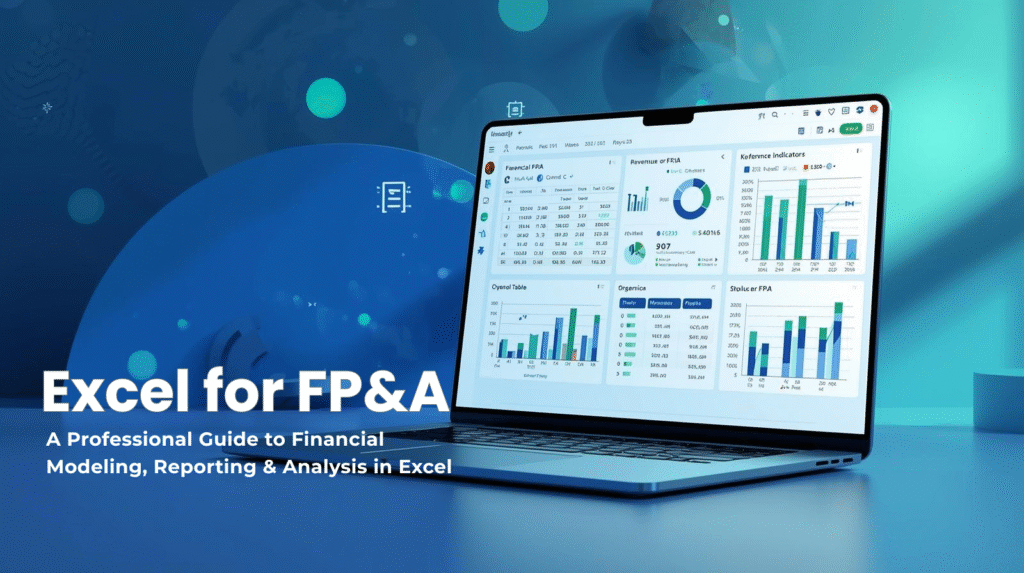
Financial Planning & Analysis teams (FP&A) rely on Excel more than any other tool. Even with the rise of BI platforms and cloud planning systems, Excel continues to sit at the center of budgeting, forecasting, variance analysis, and financial storytelling.
This e-book teaches you how to use Excel at a professional Financial Planning & Analysis teams standard — with structured models, scalable formulas, multi-sheet data flows, and best-practice templates used in real finance teams.
You’ll move beyond ad-hoc spreadsheets and learn how to build dependable, automated, analyst-grade financial models.
📚 Table of Contents
1. The Role of Excel in FP&A
- Explains why Excel remains central to budgeting, forecasting, and reporting workflows.
- Highlights Excel’s advantages, limitations, and position in the modern FP&A tech stack.
- Demonstrates how Excel supports each stage of the financial planning cycle.
2. Essential Excel Skills for FP&A Analysts
- Covers essential formulas, formatting discipline, structured tables, and clean model design.
- Introduces named ranges, consistent layouts, and error-prevention methods for reliability.
- Establishes the core standards used in professional, audit-friendly financial models.
3. Practical FP&A Reporting & Analysis in Excel
- Teaches how to convert raw operational or accounting data into analysis-ready formats.
- Focuses on normalization, validation, deduplication, and restructuring of datasets.
- Builds the foundation for accurate forecasting, reporting, and modeling.
4. SUMIFS and COUNTIFS in Excel — Multi-Criteria Analysis for FP&A
- Shows how to aggregate financial data across departments, months, or cost centers.
- Demonstrates scalable formula design that avoids hardcoding and reduces errors.
- Includes real FP&A analysis examples for revenue, expenses, and 12-month rolling calculations.
5. VLOOKUP, XLOOKUP & INDEX/MATCH Mastery
- Explains when and how to use each lookup method for stable, dynamic financial models.
- Covers error handling, two-way lookups, and cross-sheet data connections.
- Enables analysts to build automated reporting structures anchored on lookup logic.
6. PivotTables for FP&A
- Teaches summarization of GL and transaction-level data for quickly producing reports.
- Demonstrates grouping, filtering, slicing, and trend analysis using PivotTables.
- Provides repeatable FP&A reporting workflows with minimal manual intervention.
7. Excel Charts for Dashboards & Storytelling
- Covers best-practice visuals for finance: variance bridges, KPIs, and trend charts.
- Explains dashboard design principles for clarity, narrative, and executive communication.
- Shows how to transform analysis results into compelling financial presentations.
8. Mapping Trial Balance to Financial Statements
- Teaches how to map GL accounts to structured P&L, Balance Sheet, and Cash Flow formats.
- Introduces grouping logic, mapping tables, validation checks, and reconciliation steps.
- Forms the core foundation for all downstream financial reporting models.
9. Building a P&L Statement in Excel
- Guides construction of a dynamic P&L using mapped accounts and financial drivers.
- Shows how to automate month-by-month and department-level reporting.
- Integrates revenue, expense, and margin structures into a unified report.
10. Building a Balance Sheet in Excel
- Demonstrates how to model assets, liabilities, and equity with linked schedules.
- Uses automated roll-forward logic connected to trial balance mappings.
- Ensures model integrity through balancing checks and consistent period updates.
11. Creating an Indirect Cash Flow Statement
- Explains how to derive cash flows from movements in the Balance Sheet and P&L.
- Shows how to build automated operating, investing, and financing sections.
- Ensures the cash flow model ties accurately to ending cash positions.
12. Budget vs Actuals Reporting & Variance Analysis
- Teaches variance formulas, drivers, KPIs, and executive-ready variance summaries.
- Covers multi-scenario comparisons including budget, forecast, and actuals.
- Introduces visual storytelling tools for communicating performance insights.
13. Building a Budgeting System in Excel
- Outlines department-level input templates, validations, and consolidation logic.
- Shows how to structure assumptions, drivers, and annual planning workflows.
- Builds a repeatable budgeting framework with minimal manual work.
14. Rolling Forecasts (3+9, 6+6, 12-Month)
- Teaches rolling forecast design, timeline automation, and dynamic period shifting.
- Integrates scenario modeling for sensitivity testing and risk assessment.
- Enables continuous forecasting aligned to real-time business performance.
15. Headcount & Payroll Modeling
- Covers salary grids, benefits, taxes, hiring plans, and turnover modeling.
- Automates payroll cost forecasting using structured assumptions.
- Connects headcount models to P&L and cash flow forecasts.
16. Revenue, COGS & Margin Modeling
- Demonstrates revenue driver modeling for price, volume, channels, or segments.
- Builds COGS structures and margin waterfalls tied to operational drivers.
- Provides a scalable framework for forecasting profitability.
17. Capex, Depreciation & Roll-Forward Schedules (coming soon)
- Teaches capital expenditure planning with asset categories and timelines.
- Shows automated depreciation calculations and roll-forward logic.
- Links capex models to Balance Sheet and Cash Flow outputs.
Bonus Resources
Free Excel templates:
Free Excel Practice Problems for Accounting and Finance
Free Course on Automating FP&A in Excel with PivotXL