



AI in Excel is transforming how users manage data, replacing manual formulas and repetitive tasks with intelligent automation. By using natural language prompts, AI in Excel enables faster analysis, improved accuracy, and more efficient workflows.
With tools like Microsoft Copilot for Excel, Claude, and ChatGPT, Excel is evolving into a language-driven, intelligent workspace where users can interact with data using simple prompts instead of technical functions.
AI in Excel: From Manual to Automated Workflows
Traditional Excel workflows involve:
- Writing nested formulas
- Cleaning and structuring data manually
- Creating charts and reports step by step
- Debugging errors
AI introduces a new approach:
- Describe the task → AI executes it
- Ask questions → AI analyzes data
- Request outputs → AI generates results
This shift reduces complexity and allows users to focus on decision-making rather than manual processing.
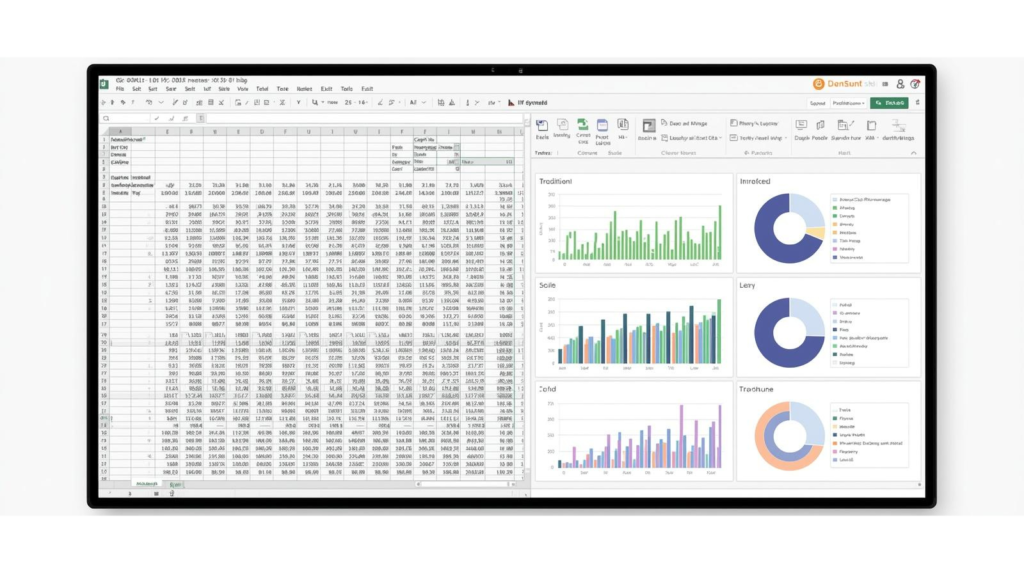
Key Areas Where AI in Excel Improves Productivity
1. How AI in Excel Generates Formulas
One of the most impactful changes is the ability to generate formulas using simple instructions.
Instead of writing:
- Complex combinations of functions
Users can now say:
- “Calculate profit margin from revenue and cost”
AI translates this into accurate formulas instantly.
2. Automated Data Analysis
AI can:
- Identify trends
- Detect anomalies
- Summarize datasets
This eliminates the need for manual exploration and enables faster insights.
3. Smart Data Cleaning and Preparation
Data preparation is often the most time-consuming task in Excel.
AI helps by:
- Detecting missing values
- Standardizing formats
- Removing duplicates
- Structuring datasets
This ensures data is ready for analysis with minimal effort.
4. Report and Visualization Automation
AI tools can automatically:
- Generate charts
- Create pivot tables
- Build summaries
Users no longer need to manually configure reports, significantly reducing workload.
5. Conversational Interaction with Data
AI enables a conversational approach:
- “What are the top-performing products?”
- “Show monthly revenue trends”
This makes Excel accessible to users without advanced technical knowledge.

Workflow Comparison: Before vs After AI
| Task | Traditional Excel | AI-Driven Excel |
|---|---|---|
| Formula Creation | Manual and complex | Generated from prompts |
| Data Analysis | Time-consuming | Instant insights |
| Reporting | Step-by-step setup | Automated generation |
| Error Handling | Manual debugging | AI-assisted correction |
| Learning Curve | High | Significantly reduced |
Role of AI Tools in Excel Transformation
Microsoft Copilot for Excel
- Native integration within Excel
- Focused on execution and automation
- Best for structured business workflows
Claude
- Strong in reasoning and explanation
- Handles complex datasets
- Ideal for deep analysis and understanding
ChatGPT
- Flexible and interactive
- Excellent for learning and formula generation
- Supports iterative workflows
Benefits of AI in Excel Workflows
Increased Productivity
Tasks that previously took hours can now be completed in minutes.
Reduced Errors
AI minimizes manual mistakes in formulas and calculations.
Accessibility
Users without advanced Excel skills can perform complex tasks.
Faster Decision-Making
Real-time insights enable quicker business decisions.
Limitations to Consider
Despite its advantages, AI in Excel has certain limitations:
- Requires clear and structured prompts
- May produce incorrect outputs if data is unclear
- Needs validation for critical tasks
- Performs best with well-structured datasets
Best Practices for Using AI in Excel
Use Clear Prompts
Avoid vague instructions. Be specific about the task.
Validate Results
Always review formulas and outputs before applying them.
Maintain Clean Data
Structured data improves AI accuracy.
Combine Tools Strategically
Use different AI tools based on:
- Execution
- Explanation
- Analysis
Future of AI in Excel Workflows
AI is transforming Excel from a tool for manual computation into a platform for intelligent data interaction.
Future developments are expected to include:
- Deeper automation of workflows
- Improved multilingual capabilities
- More accurate predictive analytics
- Seamless integration across tools
Conclusion
AI is redefining Excel workflows by shifting the focus from manual operations to intelligent automation.
With tools like Microsoft Copilot for Excel, Claude, and ChatGPT, users can now:
- Generate formulas effortlessly
- Analyze data instantly
- Automate reporting workflows
Adopting AI in Excel is no longer optional—it is essential for achieving efficiency, accuracy, and scalability in modern data workflows.
